


Volume Booster - Sound Booster
4.819.35K Reviews
App Specs
- Version
- 2.1.0.47
- Updated On
- License
- Free
- Downloads
- 10,000,000+
- Developer
- Simple Design Ltd.
- Categories
- Music & Audio
- Platform
- Android, iOS
Screenshots

 Analysis by AppCompare
Ever found yourself wishing your phone's speaker could pack a little more punch? Well, you’re not alone, and that’s exactly where Volume Booster - Sound Booster comes into play. I gave this app a spin, and let me tell you, it’s like giving your phone a mini stereo system upgrade.
What’s the Buzz About?
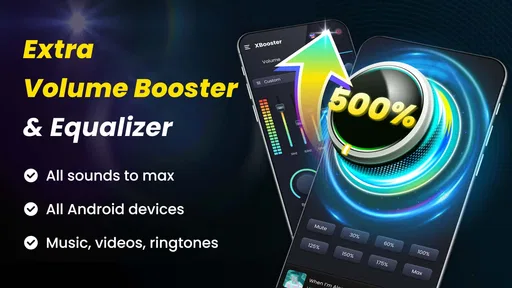
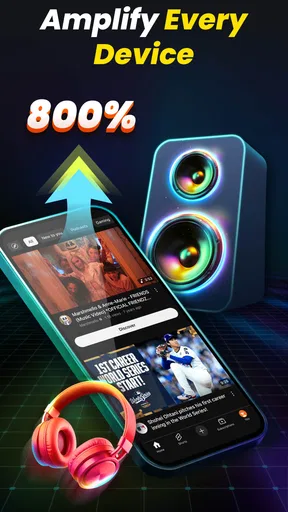
Volume Booster - Sound Booster is designed to, quite literally, boost the volume on your device. Whether you’re jamming out to your favorite playlist, watching videos, or catching up on podcasts, this app amps up the sound beyond the default limits of your phone. It’s like a superpower for your speakers.
The app doesn’t just handle music; it works across various media, enhancing sound for videos, games, and even notifications. So, if you’re the type who often misses calls because your phone’s too quiet, this might just be your saving grace. It’s super easy to use, and that’s a major win in my book.
Getting Started
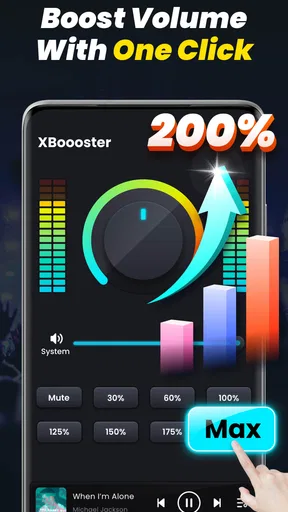
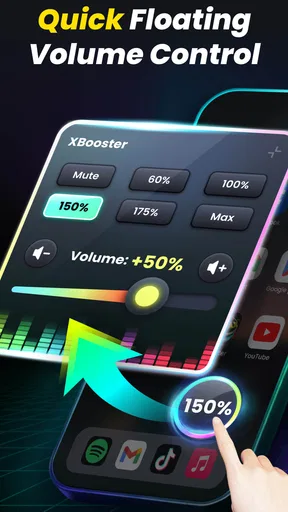
Getting started with the app is straightforward. Once you download and install it, you’re greeted with a clean, intuitive interface. No need to fumble around with complicated settings. A simple slider lets you adjust the volume to your liking, and the app does the rest.
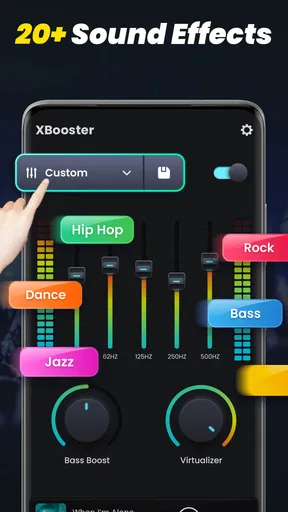
One thing I found particularly handy is the ability to fine-tune audio settings. You can tweak bass, treble, and other sound properties to match your personal preference. It’s like having a mini equalizer right on your phone. Plus, the app runs in the background, so you can set it and forget it while you enjoy your enhanced audio experience.
Performance and Usability
In terms of performance, the app does what it promises. I noticed a significant increase in volume without compromising on sound quality. It’s worth mentioning that it’s wise to be cautious with volume levels to avoid damaging your speakers or hearing.
Usability is a breeze. The app is lightweight and doesn’t hog your phone’s resources, which is a big plus if you’re concerned about battery life or performance issues. It’s compatible with most devices, so you shouldn’t run into any compatibility hiccups.
Worth Reading Before You Choose

EA SPORTS FC Mobile 26 Is a Bigger Football Game, but It Takes Time

Flipboard Shows What News Apps Must Do Beyond the Feed

Switching to Android Auto Means Rethinking Your Driving Routine

Google Calendar Makes a Crowded Week Easier to Manage

Ludo King Makes the Most of the Minutes Between Plans

Baby Panda World Brings Quick Play to Modern Phones, but Its Game Library Feels Busy
Things to Keep in Mind
While the app is a great tool for boosting sound, it’s essential to use it responsibly. Over-cranking the volume can lead to speaker damage or hearing issues, so it’s best to find a balance that works for you. The app does a good job of warning users about potential risks, which is a thoughtful touch.
Also, not all apps and media are created equal, so you might see varying results depending on what you’re using it for. But overall, the app delivers a consistent performance boost across most scenarios.
The Final Verdict
So, is Volume Booster - Sound Booster worth a download? Absolutely, if you’re looking to get more volume out of your phone without diving into a technical rabbit hole. It’s user-friendly, effective, and surprisingly versatile. Just remember to keep those volume levels in check, and you’ll be golden.
If you’re ready to transform your listening experience, give this app a try. You can find it available for download on both Android and iOS platforms. Enjoy your newfound auditory freedom!
Pros
- Enhances audio clarity effectively.
- User-friendly interface design.
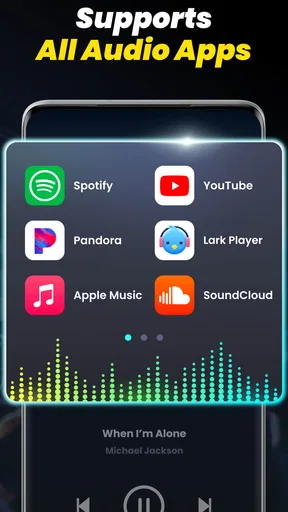
- Works with most audio apps.
- Minimal battery consumption.
- Customizable sound settings.
Cons
- May distort sound at high levels.
- Contains in-app advertisements.
- Limited free features.
- Requires frequent updates.
- Some devices may not be supported.
FAQs for Volume Booster - Sound Booster
What devices are compatible with Volume Booster - Sound Booster?
Volume Booster - Sound Booster is designed to be compatible with a wide range of Android and iOS devices. It works on most smartphones and tablets running on the latest operating systems. However, always check the app's requirements in the app store to ensure compatibility with your specific device model.
Does Volume Booster - Sound Booster improve sound quality?
While Volume Booster - Sound Booster primarily focuses on increasing the volume output of your device, it may also enhance the overall sound clarity. However, the app's effectiveness can vary depending on the quality of your device's speakers and the audio file format used. It is not a substitute for high-quality audio equipment.
Is Volume Booster - Sound Booster safe to use?
Volume Booster - Sound Booster is generally safe to use, but users should be cautious not to exceed recommended volume levels to avoid potential damage to their device's speakers or hearing. Always follow the app's guidelines and use the built-in safety features to prevent excessive volume output.
Does the app consume a lot of battery power?
Volume Booster - Sound Booster is designed to be efficient, but like any audio app, it can consume more battery power, especially when used at higher volumes for extended periods. To conserve battery life, consider using the app sparingly and monitor its impact on battery usage through your device's settings.
Are there any in-app purchases or advertisements?
Volume Booster - Sound Booster offers a free version with basic features that may include ads. For an ad-free experience or additional features, users can opt for in-app purchases or a premium version. Details about pricing and features can be found within the app's store listing.


